Before and after payment
AI Membership Safety Checklist
Use this checklist before paying for ChatGPT, Grok, Claude or Gemini. It helps you identify the billing channel, limit shared account data and verify the plan on the correct account.
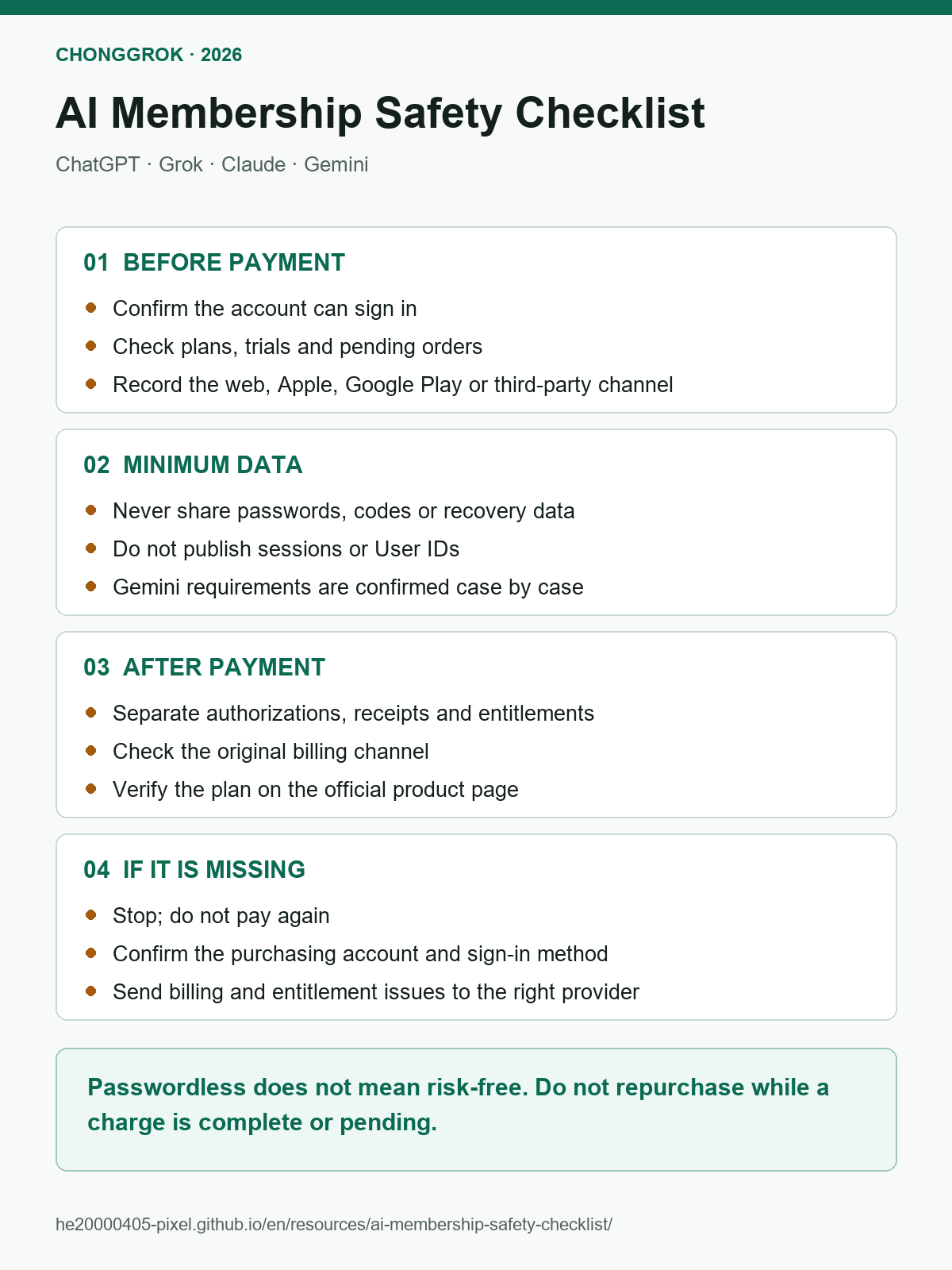
Check these four things before payment
- Confirm the AI account.Sign in on the official product first. Record the email or sign-in method and check for an existing plan, trial or pending order. Stop if the account cannot sign in.
- Confirm the plan and billing channel.Check the current official plan page, then record whether the order will be created on the product website, App Store, Google Play, X, Google One or through ChongGrok.
- Limit the data you share.Provide only the minimum data required by the confirmed flow. Never provide a password, verification code, two-factor code or recovery code.
- Save the pre-purchase state.Record the account, current plan screen and billing channel. This gives support a clear before-and-after comparison if the plan does not appear.
Product-specific data boundaries
| Product | Data that may be used in a ChongGrok flow | Never provide | Verify on |
|---|---|---|---|
| ChatGPT | The automated Plus flow uses a sensitive session credential for that upgrade | Password, email code, recovery code | ChatGPT plan settings; sign out and back in afterwards to refresh the old session |
| Grok | Grok User ID identifies the target account; it is not a login password | X/Grok password, codes, recovery data | grok.com or the original subscription channel |
| Claude | Claude User ID may identify the target account; it is not an Anthropic billing requirement | Password, codes, recovery data | Claude settings or Billing |
| Gemini | Own-account requirements are confirmed case by case; a ready-made annual account is a separate fulfillment path | The user’s Google password, two-step code or recovery code | For an own account, verify in Gemini, Google One and the original billing channel; for a delivered account, follow the stated ownership, plan and support terms |
Read the payment state correctly
| What you see | Plain-language meaning | Next action |
|---|---|---|
Bank shows pending |
The transaction is still being processed; the provider may not have received final payment | Keep the record and wait for a final outcome; do not pay again |
| Formal receipt or completed order | The billing provider recorded the transaction | Open the original billing channel and inspect the subscription and account |
| Active App Store or Google Play subscription | The store has an active plan | Return to the product and use the account that was signed in at purchase |
| Target plan shown by the official product | The current account recognizes paid access | Save the receipt, plan and renewal or expiry date |
If the paid plan is missing
1. Stop before creating another order
Open the bank record, receipt and original order page. Save the exact time, amount, order ID and current status. If any channel shows a completed charge, active plan or pending transaction, stop here and do not subscribe elsewhere.
2. Identify the original billing channel
Use the receipt sender and merchant name to determine whether the purchase belongs to the product website, Apple, Google Play, X, Google One or ChongGrok. Do not guess from the device used for payment.
3. Confirm the original product account
Open the AI product’s account settings and compare the current email and sign-in method with the purchase record. If the purchase used Sign in with Apple, continue using that method rather than creating another account with the same visible email.
4. Verify paid access on the official product page
Open the Plan, Billing, Subscription or account page. The process is complete only when the intended plan appears on the correct account. If it still shows Free, use the payment troubleshooting decision tree instead of testing the account with another purchase.
Evidence to keep
- Product, plan and billing term;
- billing channel and purchasing account;
- receipt, order ID, exact time and transaction status;
- masked product-account identifier;
- official plan screen or complete error message;
- steps already attempted.
Redact complete session credentials, User IDs, email addresses, order numbers, card details, verification codes and recovery data before sharing a screenshot.
Completion checklist
- The intended account can sign in.
- The original billing channel and purchasing account are known.
- No conflicting active plan or pending order exists.
- Only the minimum required data was shared.
- The official product page shows the plan, or the correct support provider has the redacted evidence.
- No second order was created to cover an unresolved first order.
Detailed guides
Official references
- OpenAI: avoiding duplicate subscriptions
- xAI: Grok consumer FAQ
- Anthropic: Claude Pro and Max help
- Google: manage a Google AI plan from Gemini
- Google Play: problems with in-app purchases
Independence and risk disclosure
ChongGrok is an independent membership-assistance service and is not affiliated with, authorized by or officially partnered with OpenAI, xAI, X, Anthropic or Google. Plans, prices, limits, availability and refund policies are controlled by the relevant provider. Passwordless does not mean risk-free.
Save or share: the PDF is convenient for printing. This HTML page contains the full explanation and current corrections.
Download PDF